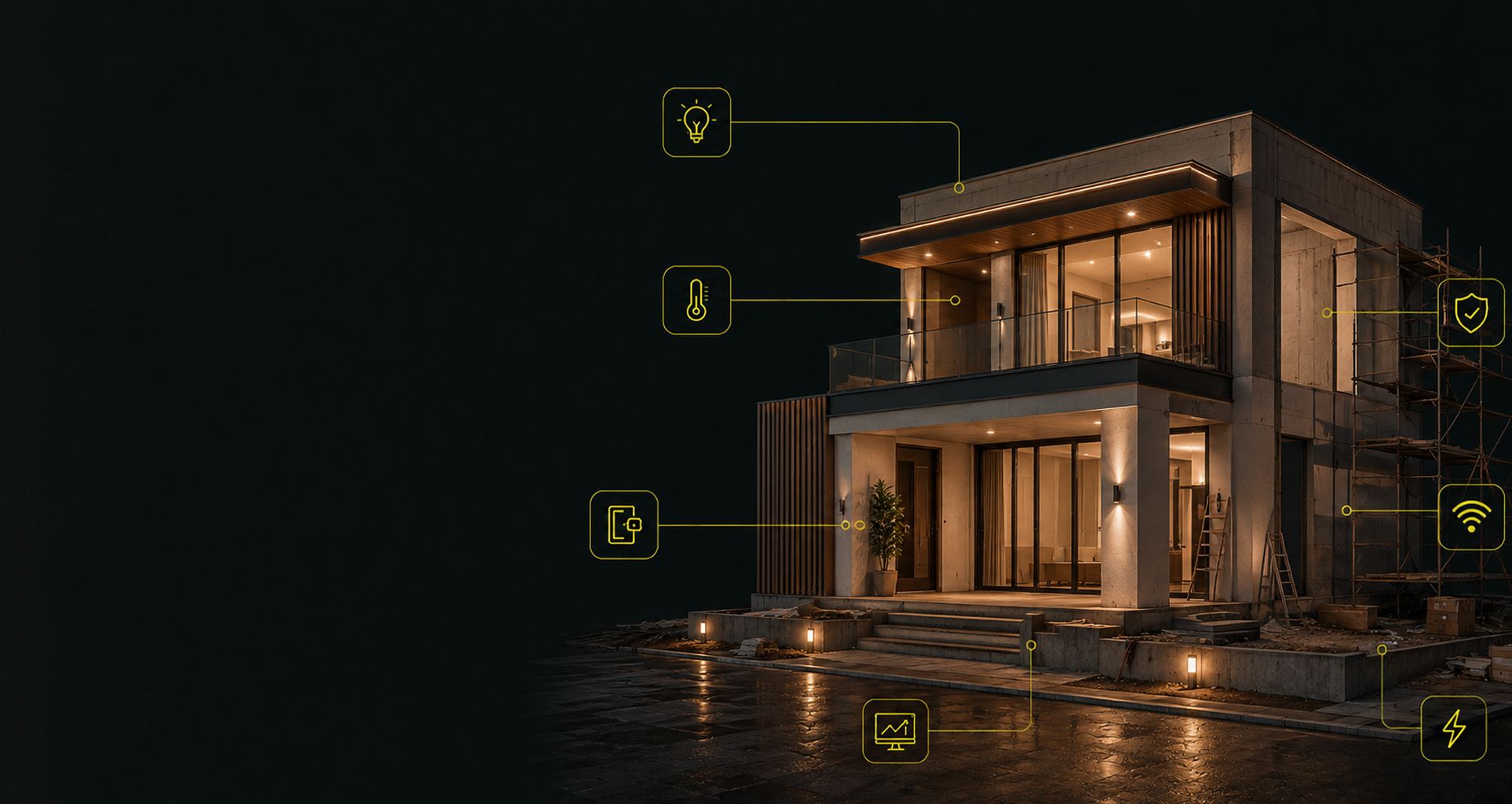
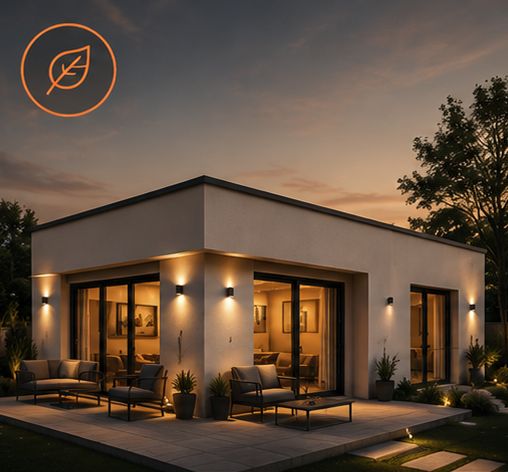
Contemporary villa at night nearing completion, scaffolding still in place, its controlled functions marked one by one — lighting, temperature, access control, security, network and supervision.

Owners and architects

Home automation for new-build and renovated villas in Morocco

A villa has no technical staff. What is installed there must keep working for twenty years, for people who did not design it, and remain serviceable by someone other than us. Everything we recommend follows from that.

Villa home automation: what has to work without internet and without us

A hotel has a technical manager, a clinic has a biomedical department, an office building has a facility manager. A villa has no one. The day something stops responding, the person in front of the interface is the person who lives there — and they have no reason to know what a gateway is. Two principles follow, and they govern every decision on this page.

“Powered by IBT” and “Secured by IBT” seals applied to completed installations.
  1. 01

    Everything must work without the system

    Lights, heating and doors operate from a physical control — server off, router unplugged, internet down. Which means an installation whose intelligence sits in the electrical panel, not in software.

  2. 02

    Everything must remain serviceable by someone else

    A villa changes hands, an integrator closes down, an owner moves away. A documented installation, whose programming file belongs to the client, keeps its value. One whose keys are held by a single dealer loses it the day that dealer disappears.

What home automation to install in a villa, block by block

Eight blocks, always in the same order — the network first, because everything else connects to it. What changes from one project to the next is not the list: it is the weight of each block and what goes into it. A block ruled out is a recommendation in its own right.

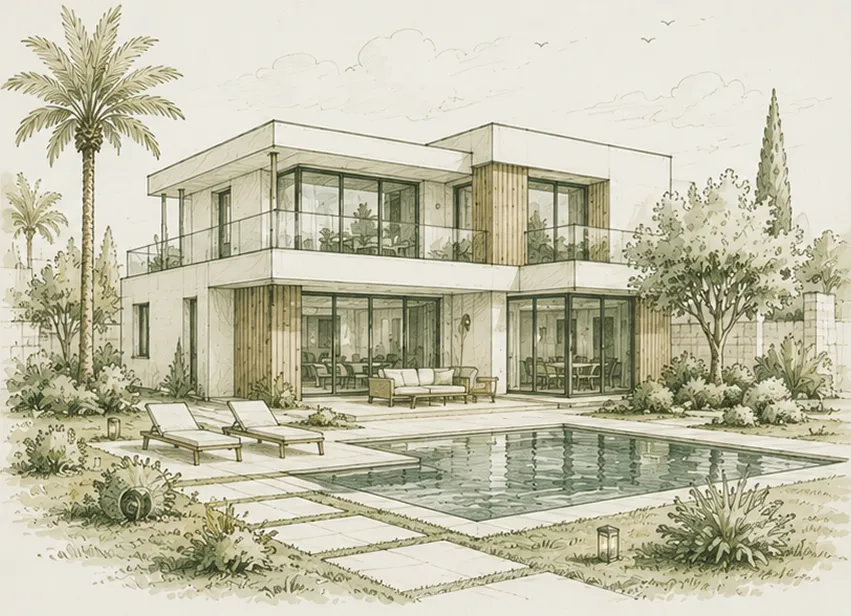
Architect's sketch of a contemporary villa with courtyard and pool, two storeys, glazed bays and a Mediterranean garden.

New-build villa

The panel is yet to be created, partitions are not up, and no decision is constrained by what already exists.
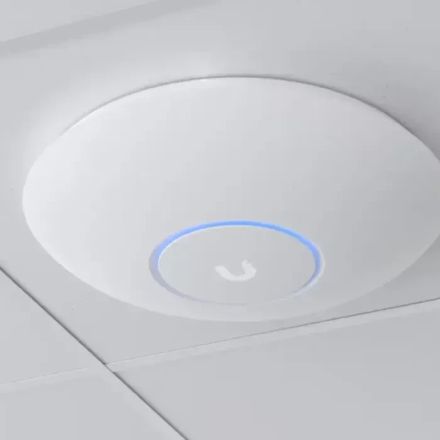
  1. UniFi Wi-Fi access point mounted on the ceiling, indicator ring lit, flush with the tile and with no visible enclosure.

    Backbone — network and Wi-Fi

    Essential

    Everything else depends on it. Cameras, Wi-Fi access points, intercom and access control are powered by this network, not by wall sockets.

    Cabling
    Cat6A to every fixed point, including those nobody wants yet, and 10 Gbps switching at the core. This is not over-specification: it is what absorbs the fibre plan of five years from now, 4K cameras, and file transfers between machines in the house, which never touch the internet. A cable pulled during structural works costs the price of the cable; pulled afterwards, it costs a chase in the wall.
    • UniFi
    Rack and power
    Patched rack in the plant room, ventilated, on a UPS. PoE 802.3at/bt switches sized with headroom — cameras are always added after handover.
    • UniFi
    Wi-Fi coverage
    One access point per floor at minimum, positioned on the drawings and not at the end of the project. The solid concrete walls of a Moroccan villa are not solved with a repeater.
    • UniFi
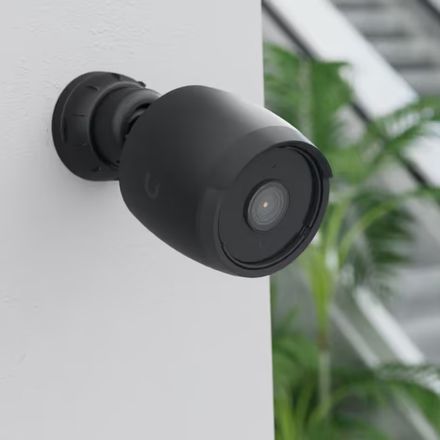
  2. Black surveillance camera surface-mounted on a light wall, aimed at a glazed bay and a garden.

    Security and access control

    Essential

    The item that triggers the call, and the one whose positions are frozen when the partitions go up.

    Video surveillance
    UniFi Protect cameras and IP door station, PoE powered from the rack. Same controller, same app and same account as the network already installed: one interface to learn, one estate to keep updated. Hikvision remains the fallback when the budget is tighter. Fields of view agreed on the drawings, with the client, before the pour.
    • UniFi
    • Hikvision
    Access control
    A UniFi Access reader beside the handle, not a connected handle. The handle stays mechanical — it is what opens the door the day nothing else responds — and the badge or face recognition is added on top. The Moroccan market installs entry-level connected handles by the thousand: they put lock, electronics and battery in the hardest part to replace. This pair is also the only one compatible with Apple HomeKit and HomeKey: you open with your phone, the card living in the Apple or Google Wallet. Where cabling is impossible, an Aqara handle with mechanical override is the fallback.
    • UniFi
    • Aqara
    • Apple HomeKit
    • Google Home
    Intruder alarm
    Wired. On a new build, wireless solves no problem you have not created yourself by forgetting a cable.
  3. Automation

    Essential

    This is the only moment in the building's life when bus cabling costs almost nothing.

    Core system
    KNX, with no serious alternative on a new build. ETS programming, and the project file handed over at completion — that is what leaves you free to change integrator.
    • KNX
    Lighting
    KNX actuators in the panel — Zennio in volume, ABB or Schneider on the larger ratings. DALI in areas with a high fitting count: living room, facade, architectural lighting. Lutron where the dimming requirement is genuinely high end.
    • KNX
    • Zennio
    • ABB
    • Schneider Electric
    • DALI
    • Lutron
    Shading
    Somfy for shutters, blinds and pergolas, brought into KNX through a gateway. Keypads by Basalte or Gira where the design matters, Zennio elsewhere.
    • Somfy
    • Basalte
    • Gira
    • Zennio
    Air conditioning
    Ducted or multi-split driven by Airzone with a KNX gateway. Temperature and humidity sensors per zone. Control per room, not per floor — that is the difference between real comfort and a bill.
    • Airzone
    • KNX
  4. Energy

    Recommended

    The item you regret not preparing, because it can only be recovered by opening the panel again.

    Metering
    Sub-metering per circuit at the panel. Without measurement, no discussion about consumption is possible later — you are left with impressions.
    • KNX
    Autonomy
    Space and circuits reserved for a generator or a UPS, even if the equipment is not ordered. Load shedding is programmed the day the source arrives.
  5. Outdoors

    Recommended

    These are the functions that set a villa apart from an apartment, and they are cabled before the landscaping.

    Gate and vehicle access
    Power and bus pulled to the gate during the trench, with a spare duct. Reopening a paved driveway costs more than the gate.
    Pool and irrigation
    States and commands brought into KNX rather than one more proprietary box. The aim is one interface controlling the house, not five apps.
    • KNX
  6. Audio and video

    Optional

    Prepared on a new build, decided later. The cable costs little; the equipment can wait.

    Pre-wiring
    Pull the speaker and video runs now, and leave them capped. The cheapest item on site at this stage, one of the most expensive two years later. When the equipment is finally chosen, UniFi audio and its amplifier stay on the controller already in place; Sonos is the fallback where the network is not UniFi.
    • UniFi
    • Sonos
  7. Supervision and interfaces

    Recommended

    A comfort layer, never a dependency.

    Dashboards and notifications
    Home Assistant as an overlay — dashboards, notifications, third-party integrations. Never as the core: lighting and air conditioning must keep working with the server switched off.
    • Home Assistant
  8. Ecosystem and assistants

    Recommended

    The question every owner asks, and the one the market is vaguest about: does it work with Siri or Google? Yes — on top of the bus, never in its place.

    Apple HomeKit
    KNX devices are exposed to the Home app and Siri through a bridge. Voice control becomes a convenience, not a dependency: if the bridge goes down, the wall switches keep working.
    • Apple HomeKit
    Google Home
    Same principle, with one caveat worth knowing: the integration runs through an online service whose terms and behaviour can change without notice. Treat it as a comfort, not as a building function.
    • Google Home
    The pivot
    Home Assistant is what exposes the bus to HomeKit, Google or Alexa as you choose, without the core of the system depending on any of them. Changing voice assistant must never mean touching the panel.
    • Home Assistant
    • Matter

What we advise against in this case

Closed proprietary systems — Control4, Crestron — on a new-build villa. Every modification goes through an authorised dealer, and the day that dealer stops trading the installation becomes unusable by anyone else. This is not a question of equipment quality, it is a question of who holds the keys in ten years. We also advise against connected bulbs as primary lighting, and against any basic function — switching on, heating, opening — that depends on an online service to respond.

Villa undergoing major renovation

The electrical installation is being redone and chasing is possible, but the existing structure constrains part of the decisions.

  1. UniFi Wi-Fi access point mounted on the ceiling, indicator ring lit, flush with the tile and with no visible enclosure.

    Backbone — network and Wi-Fi

    Essential

    The item not to sacrifice, even when everything else stays partial. It is what makes up for the compromises accepted elsewhere.

    Recabling
    Recable in Cat6A, including where automation will stay out of scope, and aim for 10 Gbps at the core. This is the one moment when the house can be brought up to standard for twenty years: a network point is what lets you add later whatever the bus will not cover.
    • UniFi
    Rack and distribution
    UniFi, with the rack grouped even if it has to sit in a cupboard. Routing in trunking or above a false ceiling where chasing is not possible.
    • UniFi
  2. Black surveillance camera surface-mounted on a light wall, aimed at a glazed bay and a garden.

    Security and access control

    Recommended

    Feasible almost everywhere, provided you accept that the routing will show in places.

    Video surveillance
    UniFi Protect over PoE, routed in trunking or above a false ceiling, on the controller that already runs the network. PoE remains preferable to Wi-Fi: a wireless camera depends on coverage on the day it matters. Hikvision where an installation is already in place and worth reusing rather than replacing.
    • UniFi
    • Hikvision
    Intruder alarm
    Wireless where wired is impossible. This is one of the rare items where wireless does not seriously degrade what is delivered.
  3. Automation

    Recommended

    The scenario where the bus either earns its place or does not, and where that has to be said before the equipment is ordered.

    Core system
    KNX if the circuits can run back to the panel across most of the building. Otherwise KNX on the accessible perimeter with wireless at the edges — but presented as such from the outset, not as a first phase.
    • KNX
    Isolated points
    Shelly micro-modules in the back box where the circuit does not run back. Check for a neutral before committing — that is what defeats half of these projects.
    • Shelly
    Shading
    Somfy io or RTS on shutters that are already motorised, without pulling new cable. Brought into KNX through a gateway where the bus exists.
    • Somfy
    Air conditioning
    Airzone where ducted equipment is in place. Otherwise a per-split gateway, brought into KNX or Home Assistant depending on what the core system has become.
    • Airzone
  4. Energy

    Optional

    With the panel being redone, this is the cheapest opportunity to add metering. Rarely asked for, often regretted.

    Metering
    Sub-metering on the circuits being redone. It goes in at the same time as the rest of the panel, or it does not go in at all.
    • KNX
  5. Outdoors

    Optional

    Depends entirely on what the trench still allows. To be decided on survey, not on drawings.

    Gate, pool, irrigation
    Worth redoing where a duct exists or the ground is being opened anyway. Otherwise, control through a gateway on the existing automation.
  6. Audio and video

    Optional

    Possible while the ceilings are open, pointless if they are not.

    Runs
    To be pulled if the false ceiling comes down: this opportunity will not come round again. UniFi audio runs from the network controller, with no extra gateway and no extra account; Sonos failing that.
    • UniFi
    • Sonos
  7. Supervision and interfaces

    Essential

    A markedly larger role than on a new build — it is what reconciles a partial bus and wireless devices into a single interface.

    Aggregation
    Home Assistant on a local box. Without it, the occupant ends up with a KNX system on one side and three apps on the other.
    • Home Assistant
  8. Ecosystem and assistants

    Recommended

    The scenario where a consumer ecosystem genuinely earns its place: it is what gives one interface to an estate that has become mixed.

    Apple HomeKit and Google Home
    Exposed from Home Assistant, they hide the day-to-day fact that the house is half KNX and half wireless. The occupant sees one app, not the seam.
    • Apple HomeKit
    • Google Home
    Matter
    Matter reduces the number of gateways as devices adopt it. A reason to prefer compatible hardware at equal price — not a reason to wait.
    • Matter
    • Home Assistant

What we advise against in this case

Mixing three wireless ecosystems — Zigbee, Z-Wave and proprietary Wi-Fi — in the same dwelling. Every gateway adds a point of failure, and nobody will know how to maintain them together in five years. We also advise against laying KNX across a fraction of the building on the promise of extending it later: the extension means reopening what has just been closed, and it almost never happens. If the bus does not cover the essentials now, it is better to say so and build on something else.

Villa undergoing light renovation

Occupied property, no chasing, no rework of the panel. What is in place stays in place.

  1. UniFi Wi-Fi access point mounted on the ceiling, indicator ring lit, flush with the tile and with no visible enclosure.

    Backbone — network and Wi-Fi

    Essential

    The only real investment in this scenario. Everything that can follow depends on it, and it goes in without breaking anything.

    Coverage
    UniFi, one access point per floor, over PoE where a cable can be run. This is the item that changes daily life the most for the least building work.
    • UniFi
    Routing
    Trunking, skirting, existing conduit. A surface cable neatly installed beats a wireless mesh that drops.
  2. Black surveillance camera surface-mounted on a light wall, aimed at a glazed bay and a garden.

    Security and access control

    Recommended

    Achievable without heavy works, provided compromises on power supply are accepted.

    Video surveillance
    UniFi Protect over PoE where a route exists — the one case where video joins the network's ecosystem without building work. Otherwise Wi-Fi cameras with local power, positions dictated by available sockets: that is a constraint, and it has to be said to the client rather than discovered with them.
    • UniFi
    • Hikvision
    Access
    A UniFi Access reader as soon as a network point is within reach: the original handle stays where it is and the reader goes beside it. This is the one item in this scenario where a few metres of cable genuinely change the outcome. Failing that, an Aqara connected handle with mechanical override, on the hub already in place. Either way you keep HomeKey: open with the phone, the card living in the Apple or Google Wallet.
    • UniFi
    • Aqara
    • Apple HomeKit
    • Google Home
  3. Automation

    Recommended

    No bus, and that is deliberate. You automate points, not a building — but those points are done properly, with hardware that tolerates the existing wiring.

    Switches and shutters
    Aqara over Zigbee and Matter, with a local hub. This is the choice that settles the constraint described above: the range exists in a no-neutral version, and a missing neutral in the box is what defeats half of these projects. Sensors, locks and curtain motors belong to the same ecosystem, and therefore to one hub.
    • Aqara
    • Zigbee
    • Matter
    Accent lighting
    Govee on strips, coves and accent lighting — where light is decor rather than function. Never on primary lighting: these products depend on an online service, and a ceiling light must come on even when the internet is down.
    • Govee
    Isolated points with a neutral
    Shelly micro-modules where the neutral is present and the original switch is to be kept for aesthetic reasons. This is the fallback, not the default choice.
    • Shelly
    Air conditioning
    Infrared gateway per split. No rework of the control loop: you drive what is there, you do not replace it.
    • Aqara
  4. Energy

    Ruled out

    Metering means reworking the panel. Doing that for metering alone does not pay for itself, and we would rather say so than sell it.

  5. Outdoors

    Optional

    Limited to controlling automation already in place. No trench is opened in this scenario.

    Gate and pool
    A gateway onto the existing receiver where the manufacturer allows it. Otherwise we promise nothing.
  6. Audio and video

    Ruled out

    Multiroom worth the name means runs inside the walls. Without them you are not selling an installation, you are selling speakers — and the client can buy those without us.

  7. Supervision and interfaces

    Essential

    Here it becomes the core, in the absence of a bus. It is the only villa scenario where the server is an accepted point of dependency.

    Local control
    Home Assistant on a local box, not on an online service. Every device keeps its physical control — the wall switch keeps working with the server off.
    • Home Assistant
  8. Ecosystem and assistants

    Essential

    Without a bus the ecosystem is no longer a convenience: it is the interface of the dwelling. The choice therefore comes before the hardware, not after.

    The starting point
    Choose the ecosystem first and buy accordingly. Aqara has the advantage of working with all three: Apple HomeKit, Google Home and Home Assistant. The same device stays usable if the owner changes their mind, or their phone.
    • Aqara
    • Apple HomeKit
    • Google Home
    • Home Assistant
    Apple HomeKit
    The most coherent choice for a household already on Apple, and the one that handles local control best. Automations keep running without a connection as soon as one box stays on site.
    • Apple HomeKit
    Google Home
    The quickest to set up and the most comfortable with voice. A more marked dependency on online services: to be accepted knowingly on a dwelling with no bus.
    • Google Home
    Home Assistant
    Recommended as soon as the dwelling goes beyond a handful of devices. It runs locally, keeps the history, and lets you change voice assistant without rebuying the hardware.
    • Home Assistant

What we advise against in this case

KNX. The cost of stripping out and redoing does not stack up on an occupied property with no chasing, and we say so rather than stretch the quote. If the need comes down to three automated rooms, a consumer solution is enough and the owner can install it themselves. We also advise against connected bulbs as primary lighting: somebody will eventually switch off at the wall, and nothing will respond. And we advise against mixing wireless ecosystems to save a few dirhams per point — one hub, one protocol, one app.

When to decide a villa's home automation: the construction timeline

A villa's home automation is decided during structural works, not at handover. The five points below cannot be recovered — or are recovered at a cost bearing no relation to their initial price.

  1. Before the slabs are pouredDucts to the gate, the pool, the plant room and the future generator position. An empty duct costs a few dirhams; a trench through a paved driveway costs a week of work.
  2. Before second fixPosition and size of the electrical panel, including room for the actuators. This is what decides whether the bus is possible, and an undersized panel condemns the installation before it starts.
  3. Before partitions are closedPositions of cameras, Wi-Fi access points and wall keypads, agreed on the drawings with the client. After that, every change shows.
  4. During first fixA neutral in every switch box, including where nothing is planned. That is what leaves the door open to later automation without chasing walls.
  5. At handoverHandover of the programming file, the schematic and the credentials. Without those three items the installation is not delivered — it is on loan.

The most common mistakes in villa home automation

These situations do not come from poor equipment. They come from decisions taken at a moment when they cost nothing, by people who could not see how far they reached.

We are called after the partitions go up

This is the most frequent case, and the most expensive. By then the bus is lost and only wireless solutions remain — the ones nobody wanted in the first place. Home automation is dealt with at the same time as plumbing, not at decoration stage.

The programming file is never handed over

A KNX installation without its ETS file is not modifiable, only replaceable. Many owners discover this dependency years later, when whoever holds the file no longer answers. The file belongs to the client, not to the integrator.

The network is treated as a finishing trade

Wi-Fi gets installed at the end of the project, with whatever budget and whatever routes are left. Yet cameras, intercom, access control and supervision all depend on it. An inadequate network makes perfectly good equipment look faulty.

No neutral in the boxes

Common Moroccan practice does not bring the neutral to the switches. This is what defeats half of all light renovations, and it is discovered on opening the first box, once the equipment has been ordered.

The rack goes in a cupboard

A loaded PoE switch dissipates real heat. Placed in a closed cupboard it works — for one summer. The plant room is planned on the drawings: ventilated, accessible, with a socket nearby.